Kimono × AE86 night reel: Blender blockout → Seedance 2.5 → 1440p
A 14.25 s Tokyo night reel cut to 115 BPM: a Blender blockout sets 26 cuts, a heroine written only in words, one extension to keep her face, Topaz and an AE grade.
Made with: seedance-2-5, nano-banana-pro, Topaz, Mira for Blender, Mira MCP, Blender, Mira for Adobe, After Effects, Claude

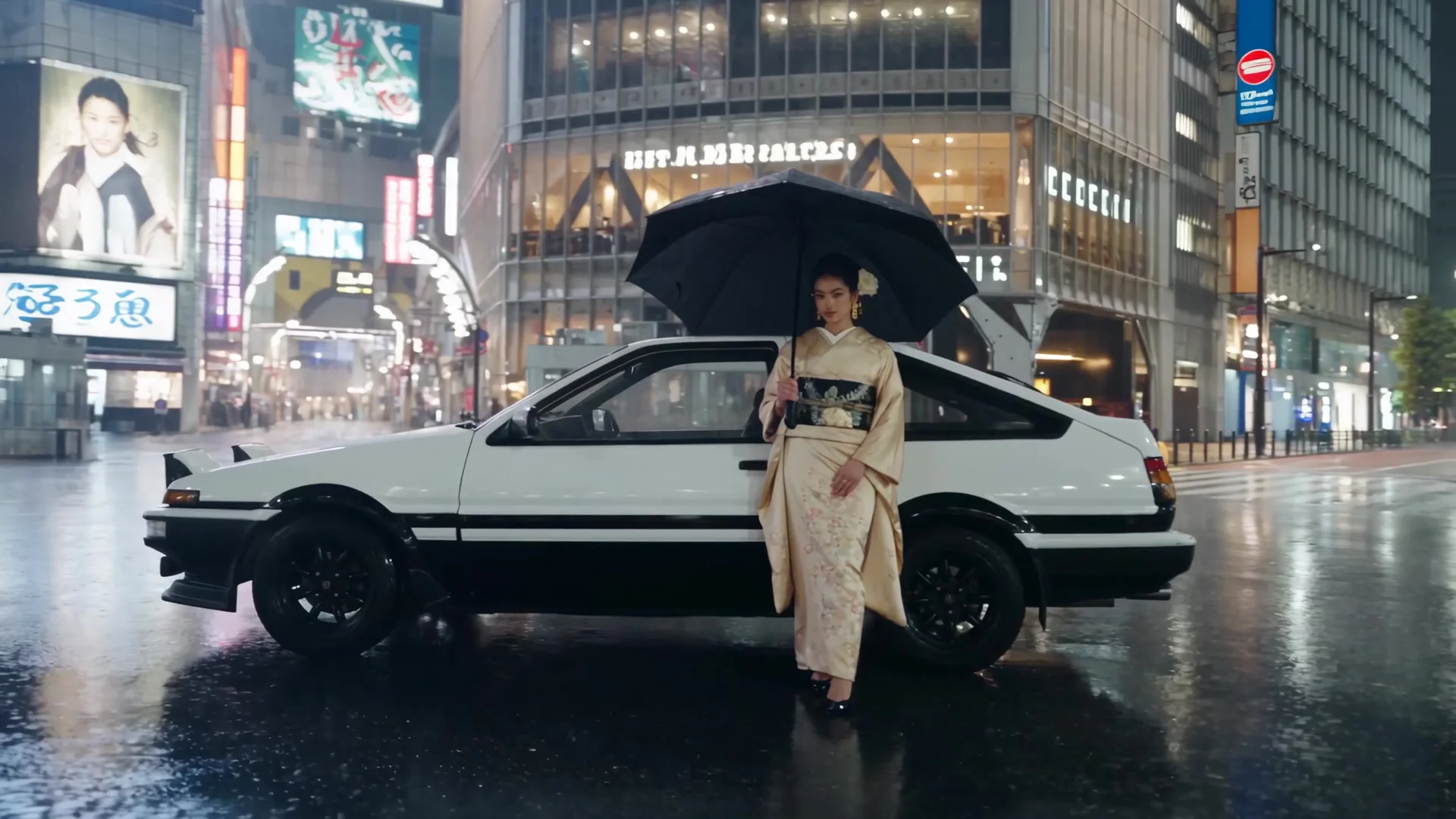
This reel is a remake of someone else's video: a girl in a kimono, a car, Tokyo at night, cut hard on the beat. I kept the shot rhythm, swapped the car for a white-and-black Toyota Sprinter Trueno AE86 and put it under a different track. My inputs were the reference video, the track and three photos of a Trueno. I directed; Claude did the hands-on work in Blender, in Mira and in After Effects through the Mira MCP.
1. Measure the track, then squeeze the reference into it
The track runs at 115 BPM (one beat = 0.52 s). Strong beats land at 0.58, 2.67 and 4.76 s, the drop (a straight kick) hits at 6.85 s, the next accents are at 11.03 and 13.12 s, and the music stops at 14.2 s. The reference video was 18.3 s with 22 shots, so the whole edit was compressed ×0.78 into 14.25 s and every cut was snapped to a half-beat.
- Keep every shot, not every second
All 22 reference shots survive; the long ones get shorter, and the fast flashes at the start and the end stay 0.25 s each.
- The drop gets the hero moment
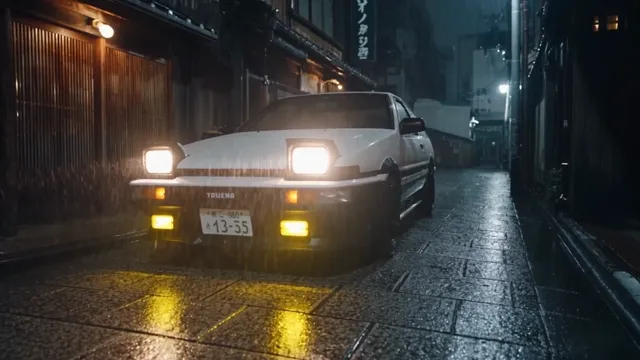
At 6.85 s the Trueno's pop-up headlights flip up and snap on.
- One table, used three times
Time range, place, camera and action per shot. The same table becomes the Blender markers and the Shot lines of the prompt.
2. The car: studio references from your own photos
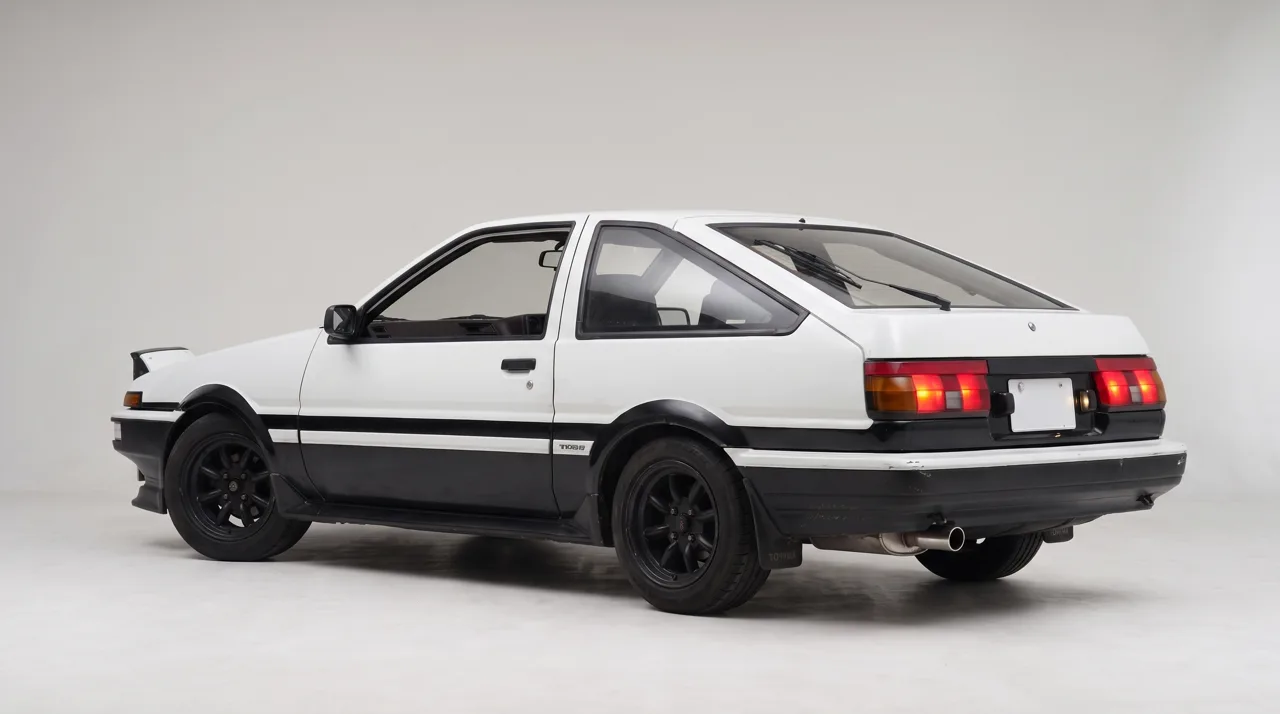
My three Trueno photos were taken in different places and light. I turned them into two clean studio stills in one step each: the front three-quarter with the pop-ups raised and lit, and the rear three-quarter with the tail lights on. Only these two went into the video.

- Say what the lights do
Pop-up headlights raised and glowing warm white, amber indicators and fog lamps lit: without it the pop-ups come back closed.
- Blank plates
Ask for a white Japanese number plate with blank characters, or the model invents one.
- Grey backdrop
A plain studio floor keeps the clip from inheriting the photo's street.
3. Block it out in Blender
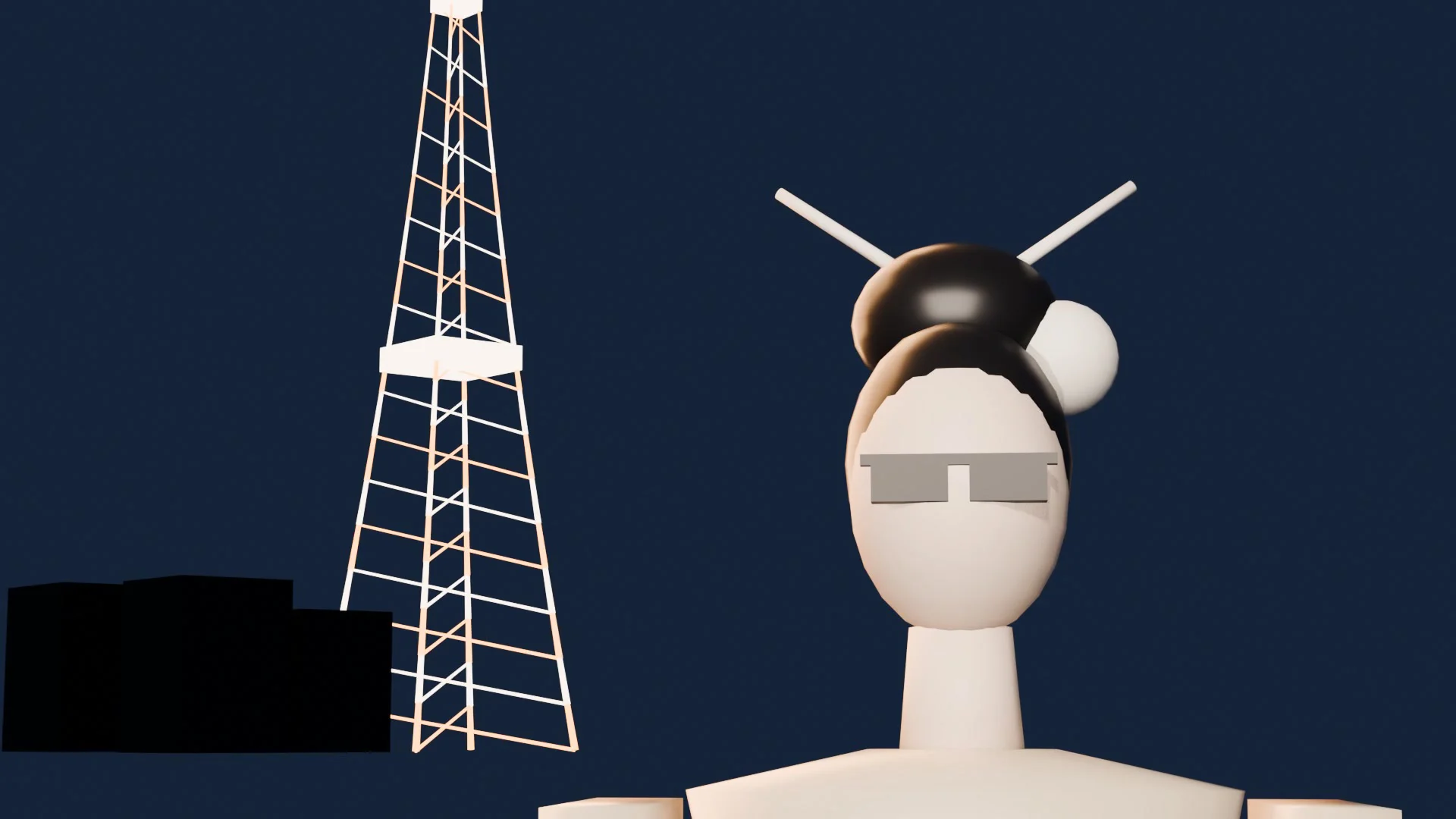
Claude built the scene in my Blender through the Mira MCP: five sets 300 m apart on one axis (a stone side lane, a wide boulevard, a lot under Tokyo Tower, a street with a convenience store, a tatami room), an AE86 at real size (4.18 × 1.63 m) and a stand-in for her. Every shot has its own camera bound to a timeline marker, so one playblast carries every cut exactly on the beat.
- Right-hand drive in the geometry
The AE86 was modelled with the wheel on the right and an open cabin, so the camera can sit inside for the hands-on-the-wheel shots.
- One heroine, three poses
Standing, kneeling in seiza and sitting. The add-on's checker counts every copy of a figure as an extra, so there is one figure per pose that jumps between sets on constant keys.
- Frame like a fashion shoot
My first framings were wide and centred, and the clip came back flat. Moving her to the left third, dropping the camera to 0.9–1 m and going to 35–45 mm fixed it.
- Record the playblast
blender_playblastrecords the clay clip and lists every shot with its timecode; those go straight into the prompt.


4. The heroine: words beat photos
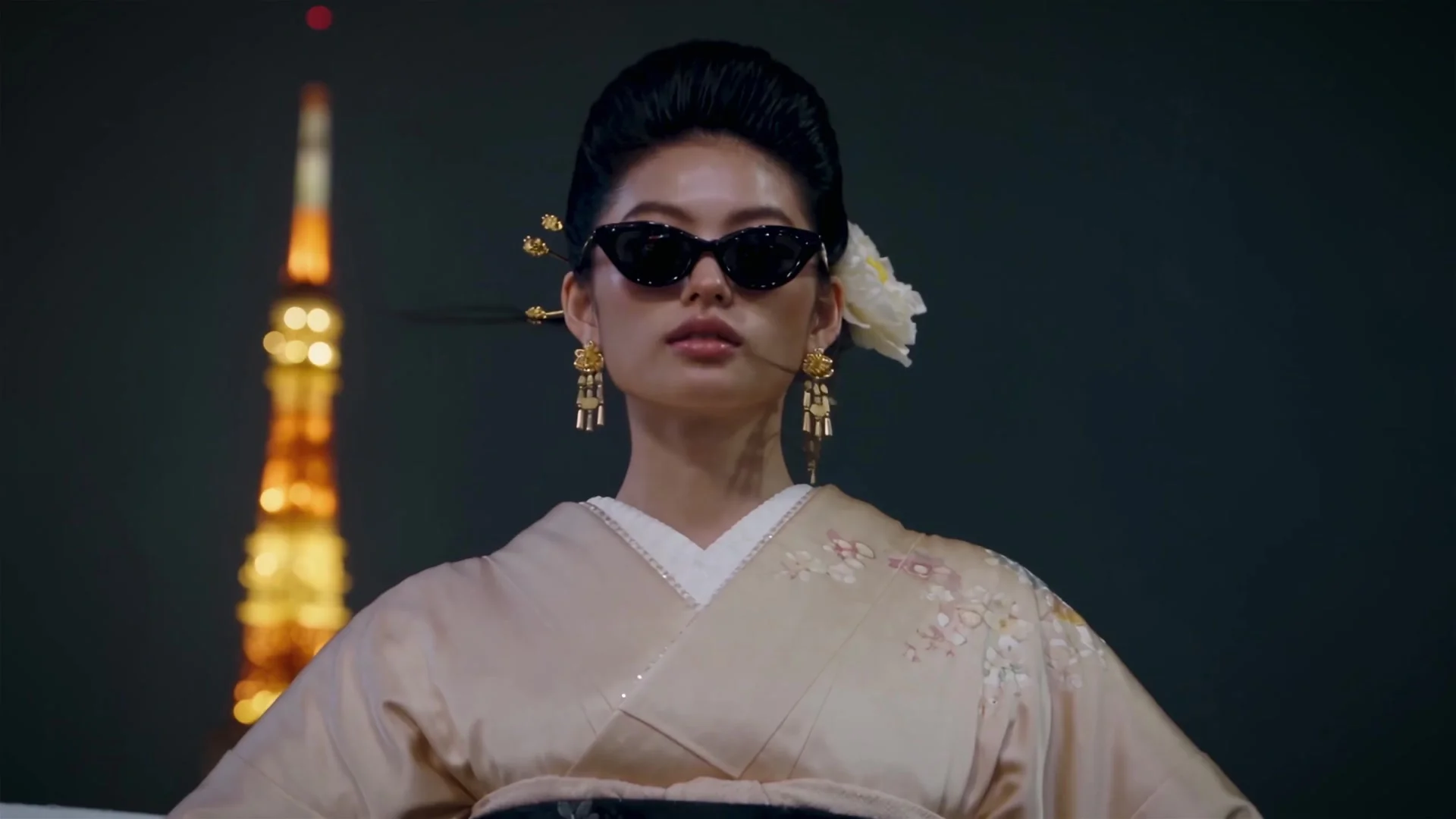
This took three tries, and each one taught something:
- Photo references: blocked
I designed her as stills first, but a photoreal person who is not an account avatar is refused by Seedance's moderation. The credits came back automatically.
- A ready-made avatar: correct but flat
With an avatar the model followed all 14 cuts of the blockout within 0.04 s, but the girl and the framing looked stiff: centred, arms folded, a costume more than a look.
- Words only: the one that worked
A new heroine written in the prompt: a strikingly beautiful young Japanese woman, doll-like face, sleek high chignon with gold kanzashi and a white silk peony, cherry-red lips, a fitted ivory-champagne silk kimono, collar drawn low at the back, black satin obi, plus model poses: head tilts, glances over the shoulder, hands near her face.


5. Write the prompt
The full prompt of the main 10 s take is attached to the clip below. Its structure:
- Bind the blockout
@Video1 is a clay blockout: follow its camera path, framing and all 14 hard cuts exactly; its grey figures only mark where she is, never her pose or look.
- Give the car photos a role
@Image1 and @Image2 are the car from the front and the rear, design only.
- One paragraph for her, one for the car
Her face, hair, kimono and how she moves. The car's lights, the panda paint and right-hand drive.
- Locations as materials and light
Old stone paving and paper lanterns, wet asphalt and glass storefronts, Tokyo Tower lit orange, a tatami room with fusuma and a warm paper lamp.
- One Shot line per cut
SHOT 12 - 6.83 to 7.62: the pop-up headlights flip up and snap on, beams flaring through the haze.
- Sound
No music; only night city ambience, a soft engine idle, light rain. No subtitles. The track goes on in the edit.
6. Extend to keep her face
Because she exists only in words, a fresh generation for the last 4 s would have drawn a different girl. So the ending is an extension of the main take: +5 s, with the playblast of the final shots as @Video2. The face, the kimono and the light carry over with no seam. Extension costs more per second than a fresh clip (87 credits for 5 s here), but here it's the only way to keep her.
7. Fix one shot with an insert
The hands-on-the-wheel shots came out wrong: a hand that looked like a man's, holding something like a cigarette. Her face isn't in those shots, so I generated a separate 5 s insert from text alone and cut three pieces of it into the three wheel slots.

8. Upscale, then grade
- Upscale the sources, not the edit
Mira upscales generations, not a cut file, so I upscaled the extended take and the insert (Topaz returned 2560×1440) and rebuilt the same edit from them frame for frame.
- One grade layer in After Effects
An adjustment layer with Lumetri: contrast +24, highlights −20, blacks −8, temperature −9, vibrance +16, a soft vignette. On top, a 7% tint that maps blacks to deep teal and whites to warm cream.
- Check on the render, not the preview
My first pass lifted the blacks and the night went grey. Measured on the render: average luma 83 → 75, blacks 35 → 27.5.
The whole recipe
- Beat grid → shot table.
- Two studio stills of the car from your own photos.
- A blockout with a camera per shot, framed like a fashion shoot.
- Heroine in words only; bind the blockout, one Shot line per cut.
- Extend instead of regenerating, so her face stays.
- Fix bad shots with a faceless insert.
- Upscale the sources, rebuild the edit, grade once.
Mira AI MCP — Seedance 2.5, extensions and upscales, the Mira MCP for Claude, Mira for Blender and Mira for Adobe.
Mira for Blender — The add-on that lets Claude build and shoot the blockout in your own Blender.