Pearl samurai R34 night reel: Blender blockout → Seedance 2.5 → 4K
A 15 s gyaru × pearl R34 reel cut to 170 BPM: a clay Blender blockout sets 19 shots, one Seedance 2.5 prompt paints Tokyo, After Effects grades it to 4K.
Made with: seedance-2-5, gpt-image-2.5-sunburst, Mira for Blender, Mira MCP, Blender, Mira for Adobe, After Effects, Claude
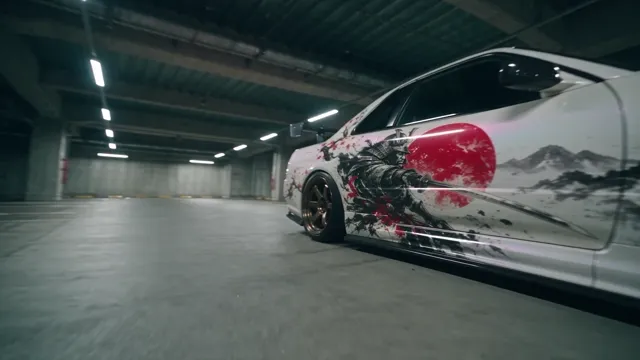
This reel started from three videos: one for the music, one for the editing style (a gyaru teaser full of fisheye close-ups and fast cuts), and one for the heroine's look. The car was new: a pearl-white Nissan Skyline GT-R R34 with a samurai livery, and the brief asked for the rear of the car to be the hero. I directed; Claude did the hands-on work in Blender, in Mira and in After Effects through the Mira MCP.
1. Measure the track
The music decides every cut, so it goes first. The 15 s excerpt runs at about 170 BPM (one beat = 0.3535 s, first beat at 0.035 s). It builds for ten seconds, drops out between 10.0 and 11.35 s, and hits the drop at 11.35 s.
- Cut every two beats
Most shots are two beats long (0.71 s), which matches the editing reference: fast, but each shot still reads.
- Slow shot in the break
The one long shot (1.4 s) sits in the break: a slow orbit around the parked car's rear while she leans by the taillights.
- The drop gets the loudest image
On 11.35 s the exhaust fires a flame in macro, then the car launches and the chase goes low and fast.
- Write a shot table
19 shots, one row each: time range, location, camera, action. The same table becomes the Blender markers and the Shot lines of the prompt.
2. Design the car as a still first
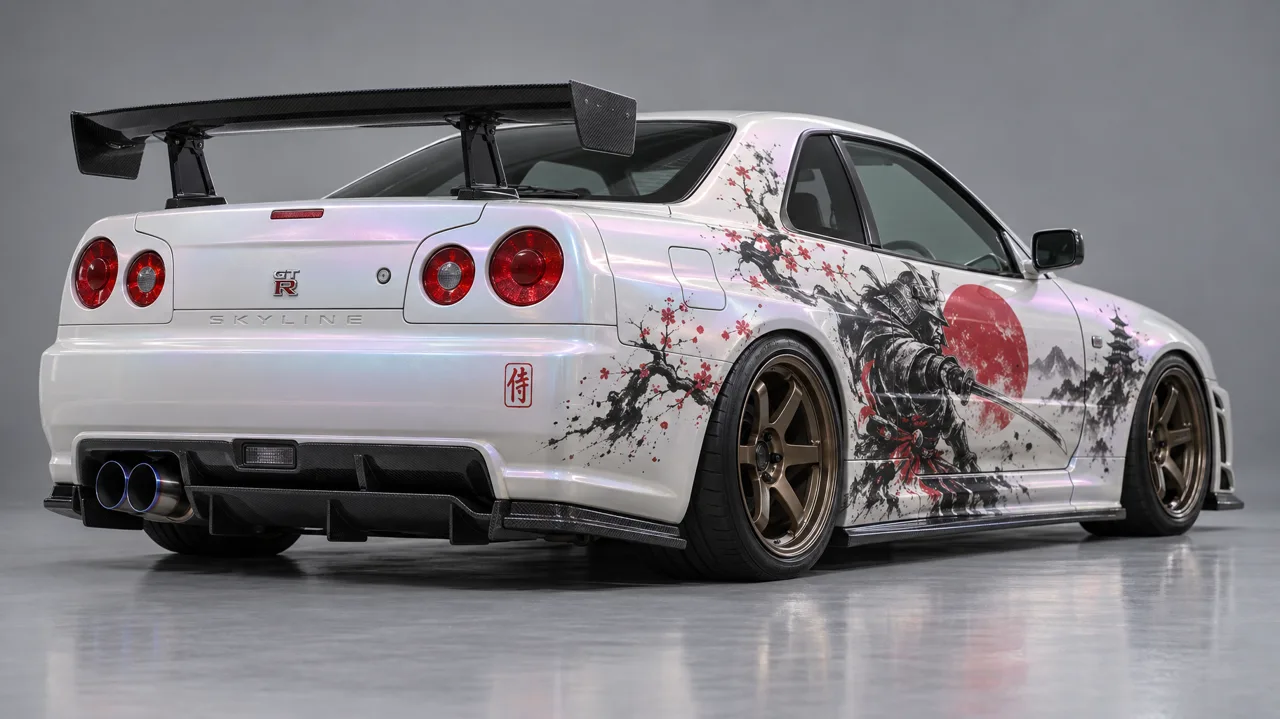
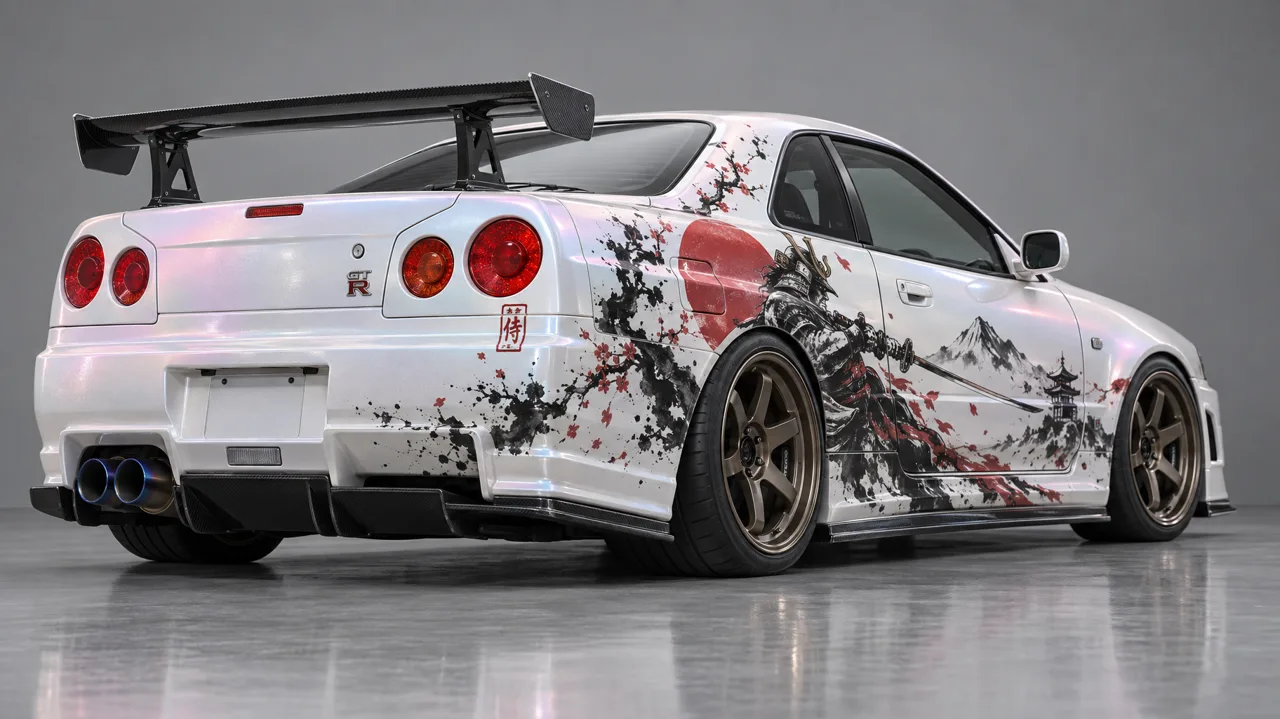
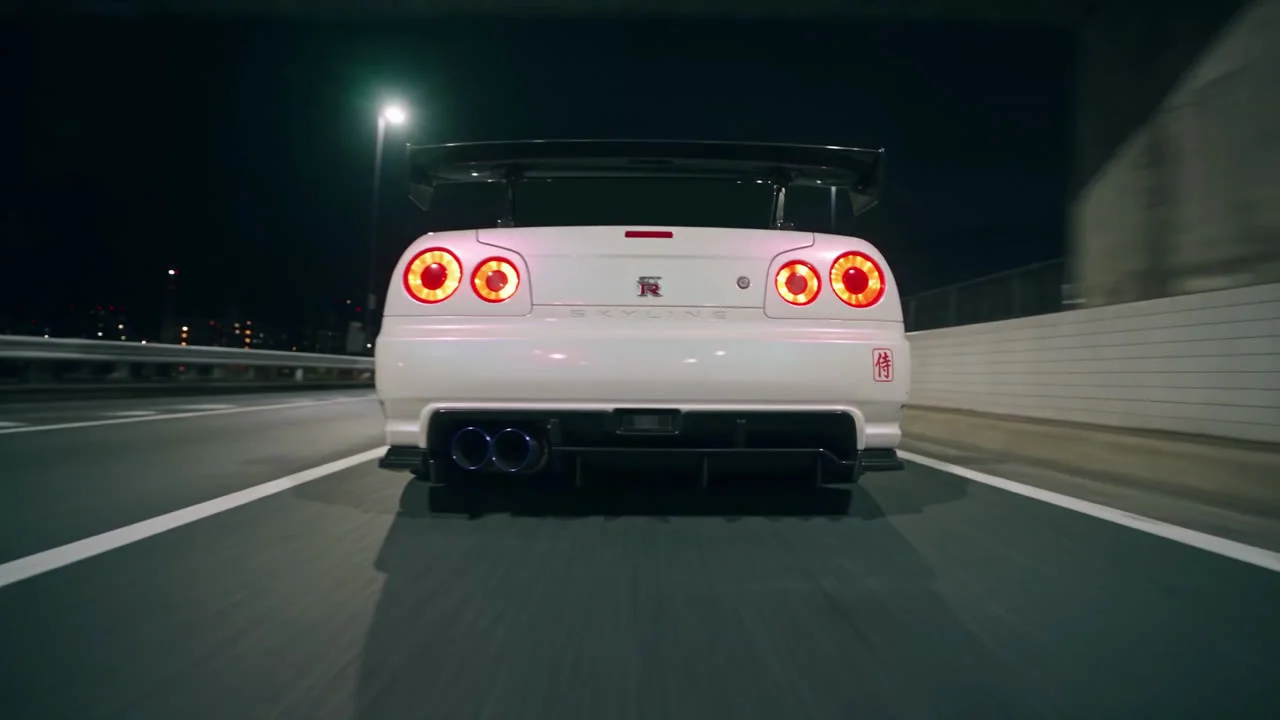
A video model copies a car far better from a clean studio reference than from a street photo. One prompt, two variants on a plain grey backdrop, rear three-quarter view, because that is the angle the reel is about: the four round taillights, the tall wing and the twin exhausts.
3. The heroine: the look, not the person
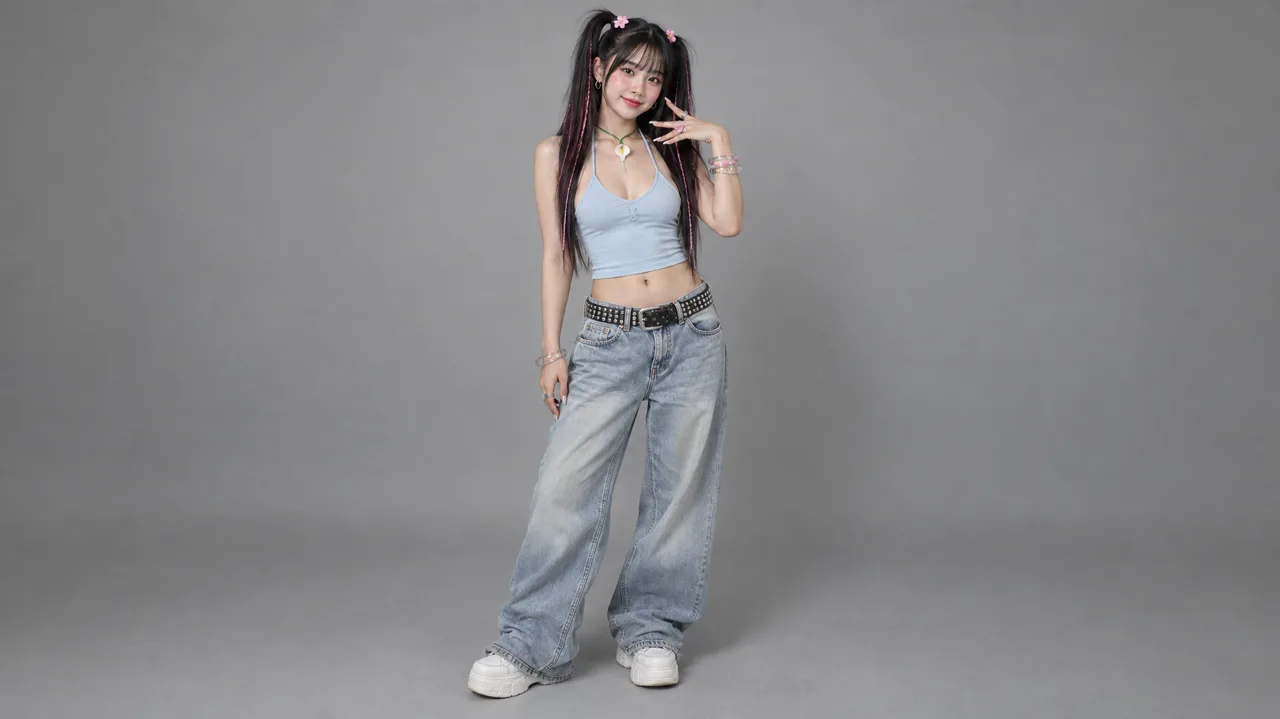
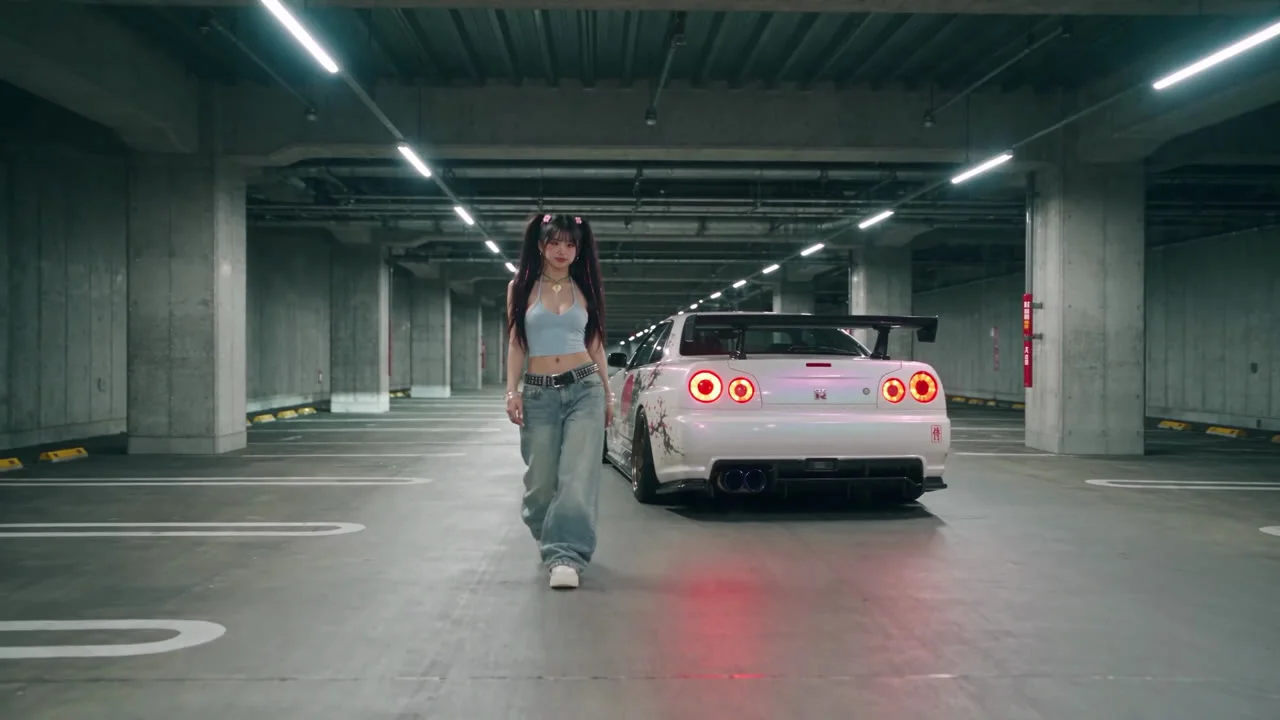
The look came from a music video with a real performer, so only her styling was taken: see-through bangs, two high pigtails with hot-pink strands and flower clips, a baby-blue halter top, a calla-lily pendant, long nails. The face was written from scratch as an original face that does not resemble any celebrity or idol, and the earmuffs from the reference were left out.
4. Block it out in Blender, in clay
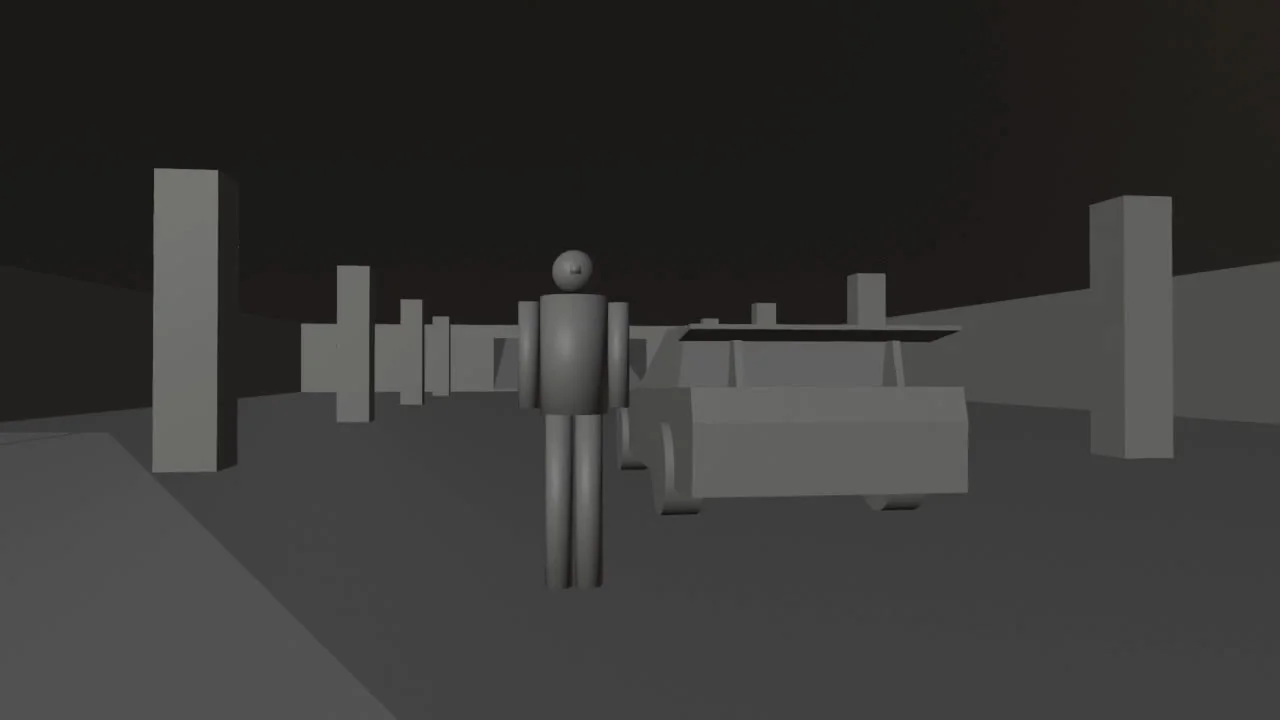
Claude built the scene in my Blender through the Mira MCP. It holds only what sets the camera, the scale and the motion: the car at real size (4.6 × 1.78 × 1.36 m), a stand-in figure, the floor, walls and ramps the camera sees. No people, no signs, no props: those come from the prompt.
- A car silhouette that reads as an R34
The generic car box looks like any sedan. So the R34 got its own silhouette from convex hulls: a squared-off tail, a wedge nose, the tall rear wing on two stands, wheels standing proud of the body.
- Four sets, 300 m apart
Underground car park, elevated expressway with a tunnel and an overpass, a spiral ramp with a meeting lot, a photo-sticker booth. Cameras see only 200 m, so a neighbouring set never shows on the horizon.
- A camera per shot, cut by markers
19 cameras, each bound to a timeline marker on the beat grid, so one playblast carries every cut. Chase and cabin cameras are parented to the car.
- Cabin shots need a cabin
From inside a closed box you see nothing: the walls are culled. The highway car got doors, a dash, pillars and a roof that appear only in the two cabin shots, and the glass hides there.
- Right-hand drive in the geometry
Her stand-in sits in the right-hand seat and the fisheye camera sits in the passenger seat. The model kept the wheel on the right.

5. Write the prompt
Seedance 2.5 on Mira takes the playblast as @Video1, the car as @Image1 and the heroine as @Image2. The full prompt is attached to the video at the top; this is its structure:
- The look in one line
Live-action Tokyo night music video, Y2K gyaru energy, handheld, fisheye close-ups pushed into the lens, cool blue-teal grade with hot-pink accents, halation, grain.
- Give every image a role
CAR: the R34 from @Image1 exactly as shown, and the REAR of the car is the hero. HEROINE: the woman from @Image2, her styling in words, no headphones.
- Name the places
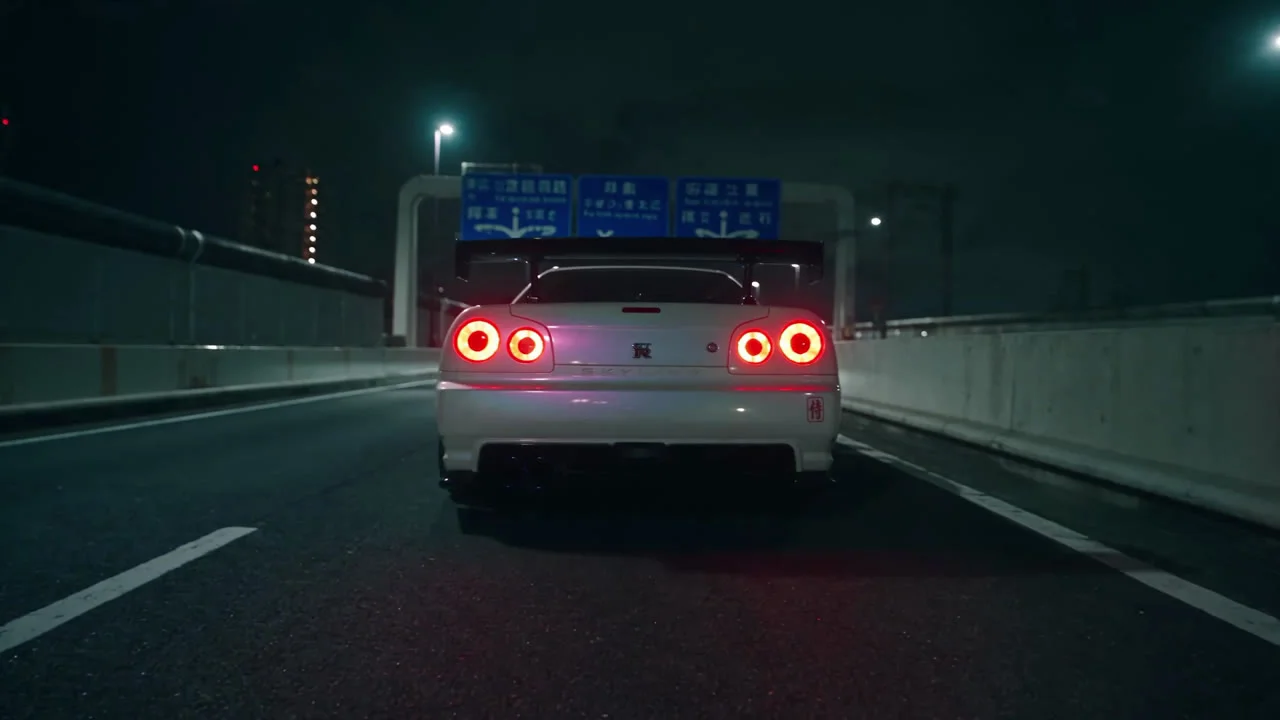
The car park, the Shuto expressway, a tunnel, the spiral ramp and meeting lot, the neon photo booth: materials and light, nothing the blockout has to build.
- Bind the blockout
@Video1 is a clay blockout: follow its camera path, framing and 18 hard cuts exactly; its grey figures and boxes are stand-ins.
- One Shot line per cut
SHOT 15 - 11.33-12.04: macro of the twin exhausts, a hard pop of blue-orange flame on the beat. The timecodes come straight from the playblast.
6. One draft, then finalize
The clip went out as a 480p draft for 54 credits first. All 18 cuts landed on the blockout's beats, the car and the heroine held across every shot, so finalize turned the same take into 1080p for 300 credits: the same shots and cuts, every detail redrawn at full resolution.
7. Grade and 4K in After Effects
Mira finishes at 1080p; the 4K master was made in After Effects on my own machine, through the Mira for Adobe panel.
- Upscale once, then grade
Detail-preserving Upscale ×2 plus Unsharp Mask on the plate, pre-rendered to ProRes in three chunks so the grade stays fast.
- Grade
Lumetri cooler and deeper (temperature −12, blacks −10, contrast 16), Color Balance with teal shadows and a touch of warmth in the highlights.
- Film
A red halation layer around every taillight and neon, a soft bloom, a vignette and 4K film grain.
- Hits on the beat
Flash pops on six cuts, zoom punches with motion blur on five, light leaks on the location changes and a film burn on the drop.
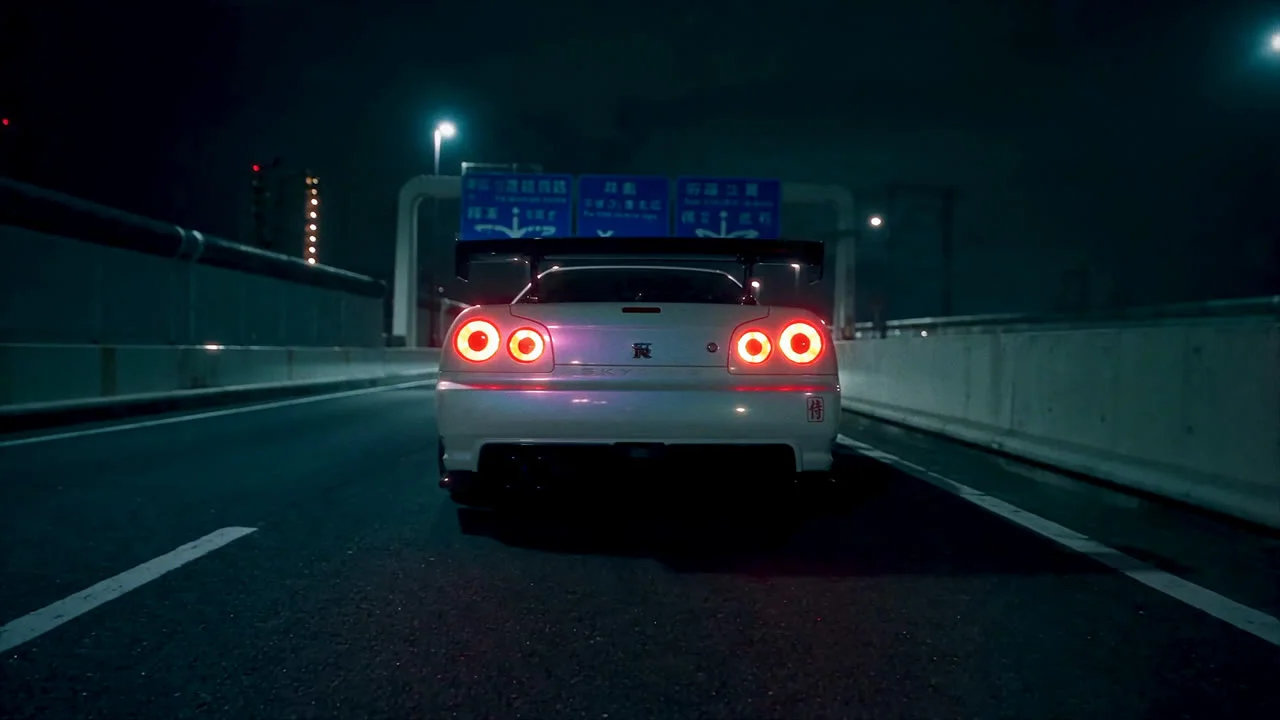
The whole recipe
- Beat grid → shot table.
- Car and heroine stills on a grey backdrop, from the angle the brief cares about.
- A clay blockout with a camera per shot and a car silhouette that reads.
- One prompt: the look, image roles, places, blockout binding, Shot lines.
- A 480p draft → finalize to 1080p.
- Grade and 4K in After Effects.
Mira AI MCP — Seedance 2.5 drafts and finalize, the Mira MCP for Claude, Mira for Blender and Mira for Adobe.
Mira for Blender — The add-on that lets Claude build and shoot the blockout in your own Blender.