Shoot a 1980s Ferrari F40 ad from a clay Blender blockout
16 shots in 30 s: clay blockout in Blender → sunburst diptychs → one Seedance 2.5 take → Topaz 4K and an After Effects grade, plus Reels and feed crops.
Made with: seedance-2-5, gpt-image-2.5-sunburst, Mira for Blender, Mira MCP, Blender, Claude, Mira for Adobe, After Effects, Topaz, ElevenLabs
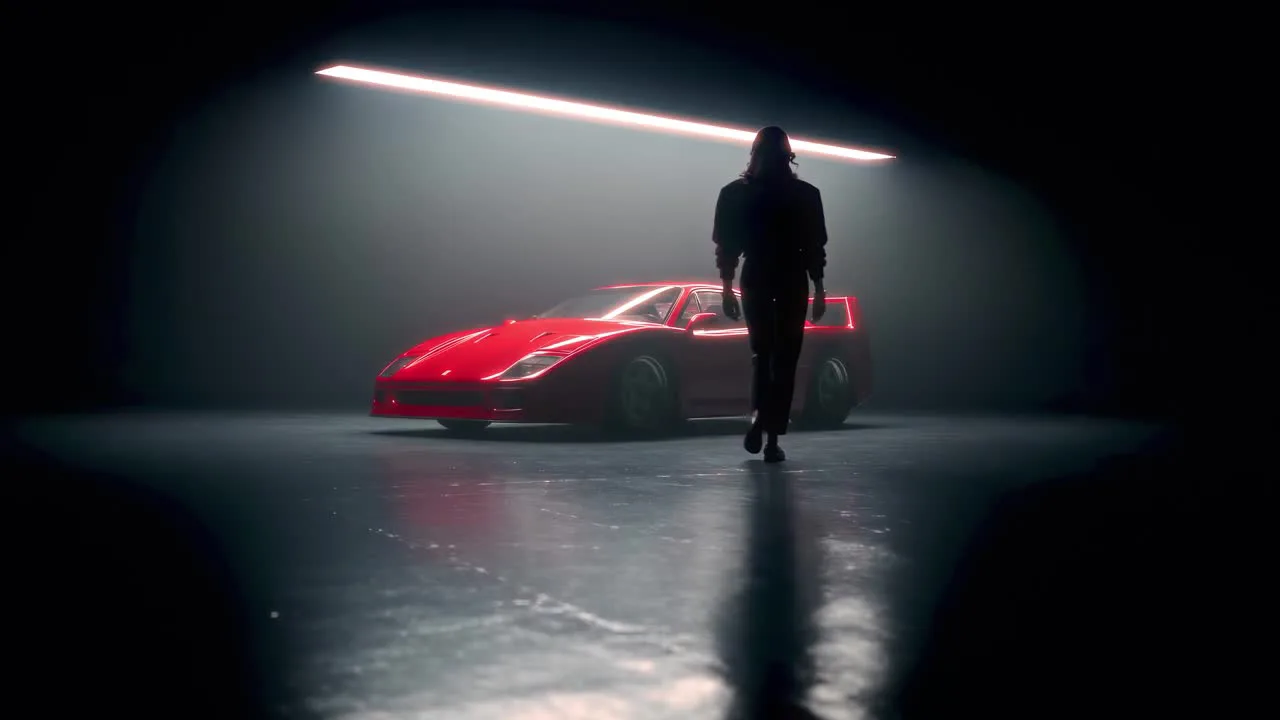
A 26-second car commercial in one generation: a woman in a paisley headscarf lowers her sunglasses, the camera studies a red F40 in a black studio, she drives it out of a stone tunnel and up a Dolomites pass to a stop at sunset. The camera, the cuts and the speed come from a grey blockout. Everything you see on top of it comes from the prompt and three reference diptychs.

1. Block out the whole film in clay
The blockout is a staging guide, not a look: a wedge-shaped car, a capsule woman, a raised road ribbon, one terrain mass and 16 cameras bound to timeline markers. Seedance keeps every cut and camera path and draws the rest from the words.

- Studio half (0-15 s)
Hook on her eyes (1.5 s), then six macro cameras of about 1.2 s each: side sweep, nose, badge, wheel, louvres, tail. A wide walk, the door, the cabin, the shifter.
- Road half (15-30 s)
Tunnel exit, side tracking, top-down hairpin, low chase, overlook. The car is keyed at a steady 26 m/s through the tunnel so it bursts out at speed instead of creeping off the line.
- Physics in numbers
The hairpin has a 13 m radius and the car takes it at 12.4 m/s - about 1.2 g, so it reads fast from above without being keyed faster.
- Keep it primitive
No crowd, no trees, no props, no colour. Anything you build comes back looking the way it was built.

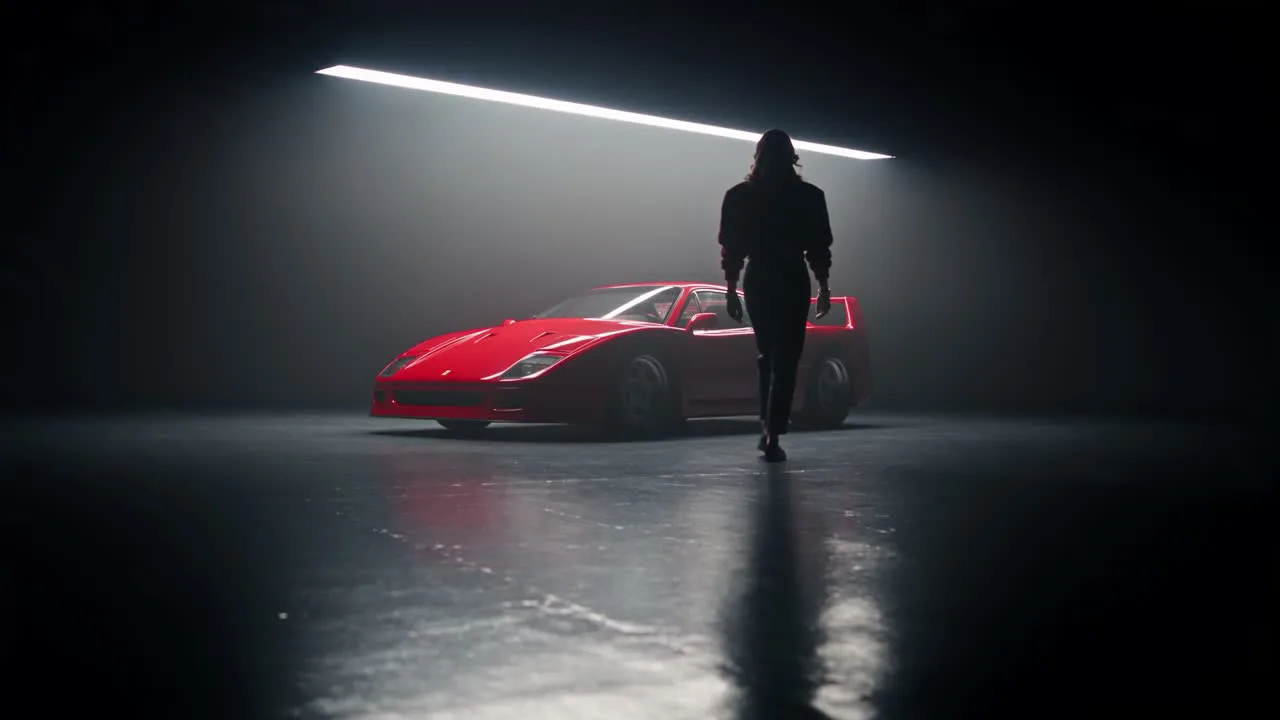


2. Lock the cast with diptychs
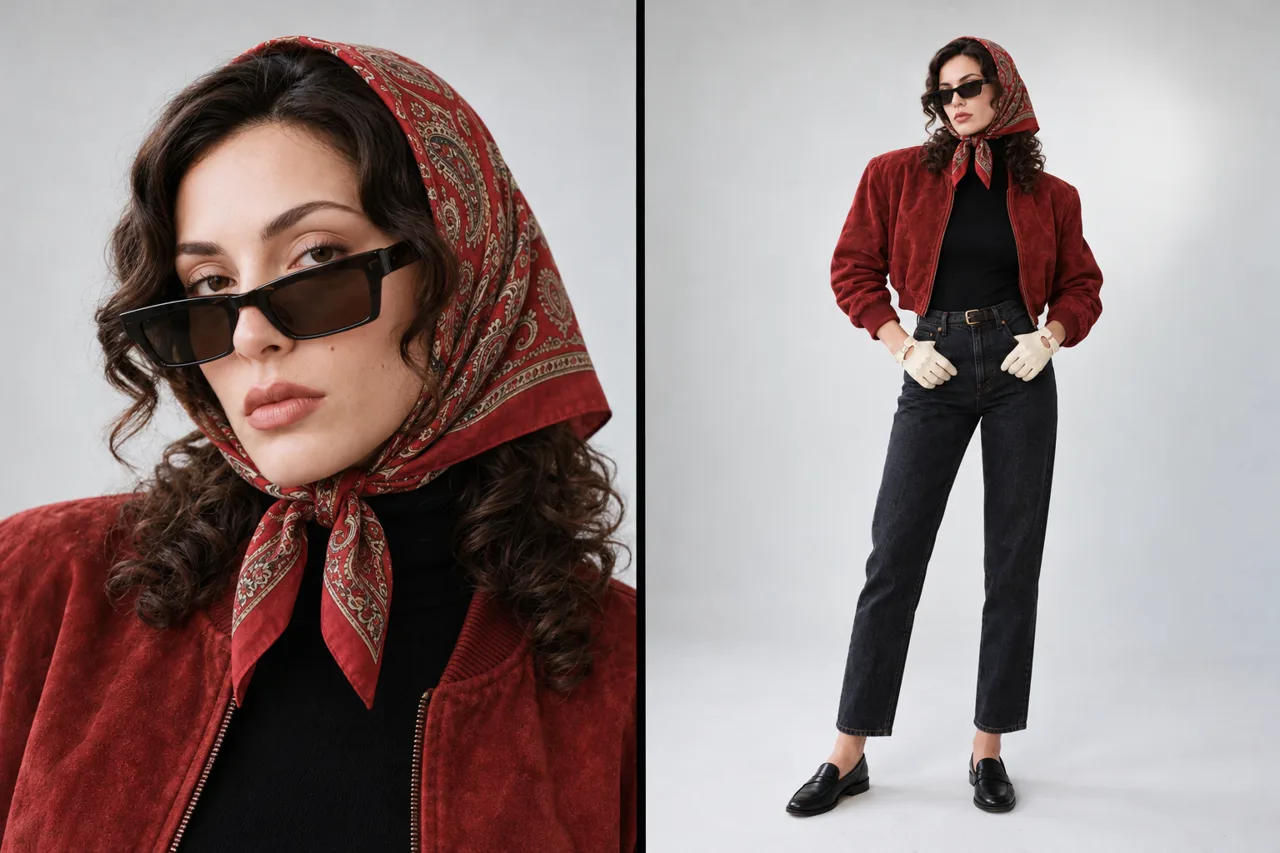
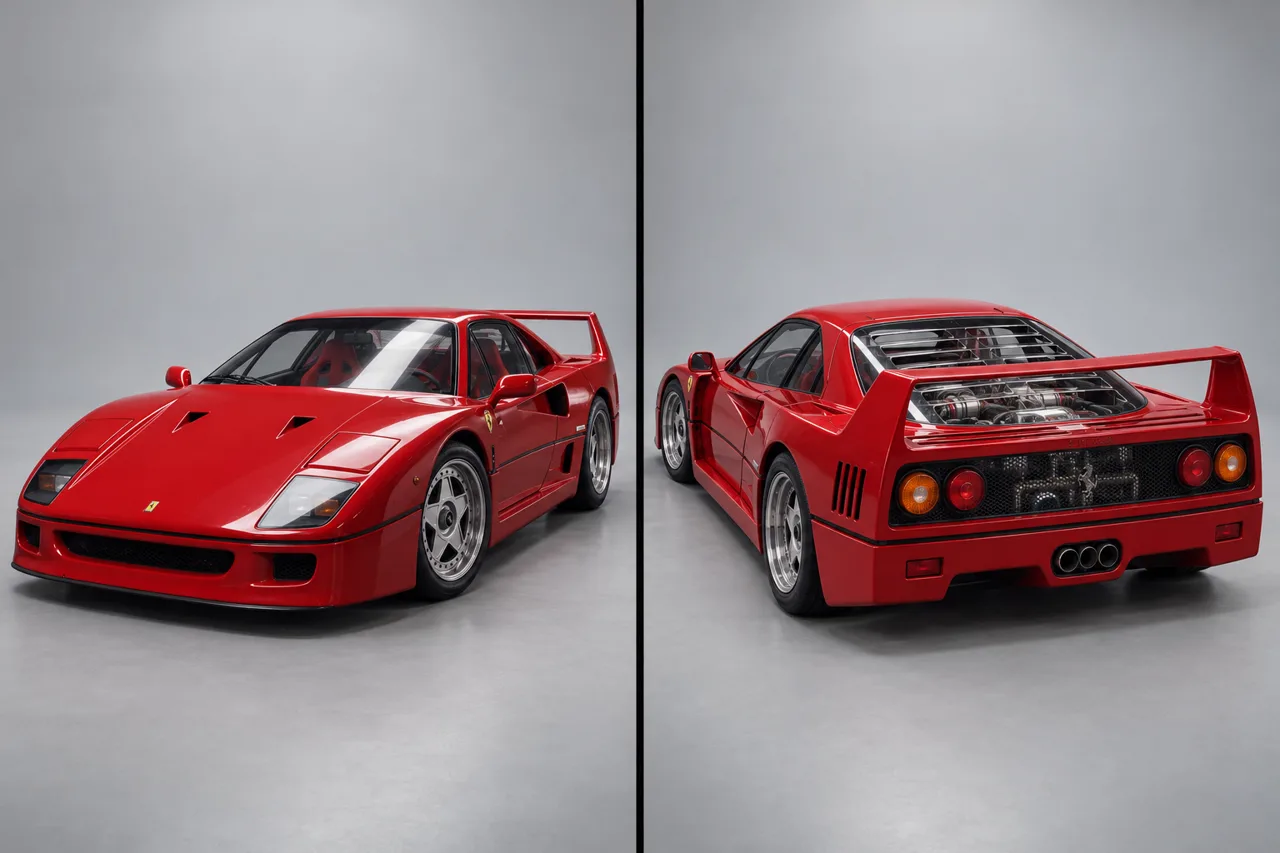
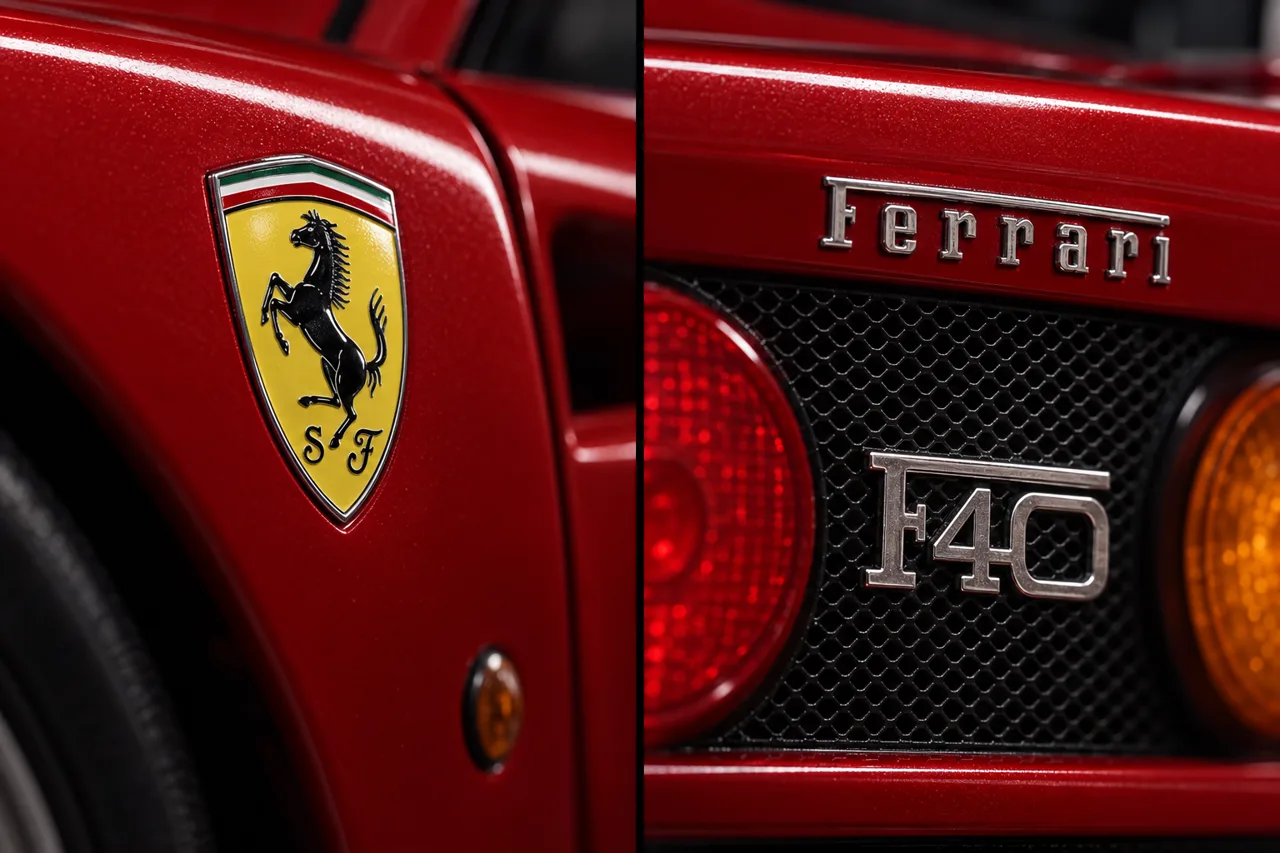
Three references on gpt-image-2.5-sunburst, each one image in two panels on grey paper: the heroine (portrait + full length), the car (front and rear three-quarter) and a macro of the badges, so the prancing-horse shield and the F40 lettering come out right in the close-ups.
3. One 30-second Seedance 2.5 take
- Bind every asset
Image 1 = the woman, Image 2 = the car, Image 3 = the badges, Video 1 = the clay blockout (camera path and all 15 cuts, its figures are stand-ins).
- One shot line per cut
Timecodes straight from the playblast facts, each with the camera, the action and the frame it ends on.
- One light, one look
Studio: one long hard overhead strip softbox gliding over the paint, a thin cool rim, haze. Road: golden-hour backlight. Colour: dense deep reds, inky blacks, halation and fine grain described as properties.
- Draft first
480p draft for 108 credits, then finalize_draft re-renders the same take in 1080p (600 credits).
4. 4K and the grade in After Effects
Topaz 4K at 24 fps (90 credits) from the final, the same cuts applied, then After Effects through Mira for Adobe: Lumetri (contrast +10, blacks -10, saturation 108, a soft vignette), a halation layer (Levels threshold 0.80, blur 36, tinted orange, Add at 55%), a 12% bloom and grain on export.

- Reframe for Instagram
9:16 and 4:5 comps with one hold key per shot following the subject, snapped to the exact cut frames.
- Lighter grain for social
Half the grain and slightly lifted deepest shadows, so the black studio does not band after compression.
- Check frame by frame
Our render shifted the picture by one frame; we caught it by comparing cut positions and fixed the sound sync and the crop keys.
5. Sound
The take's own sound (engine, tunnel, tyres) cut with the picture, plus an instrumental 118 BPM Italo-disco track from ElevenLabs (4 credits) laid out in sections so the drop hits the cut to the hairpin.