Swap a movie car for the new Tesla Roadster with Miracle
Replace a car in a film clip with a brand-new model: reference views from press photos, one Miracle pass on Seedance, Topaz upscale and a warm film finish in After Effects.
Made with: ark-miracle, nano-banana-2.1, Mira MCP, Topaz, Mira for Adobe, After Effects, Claude
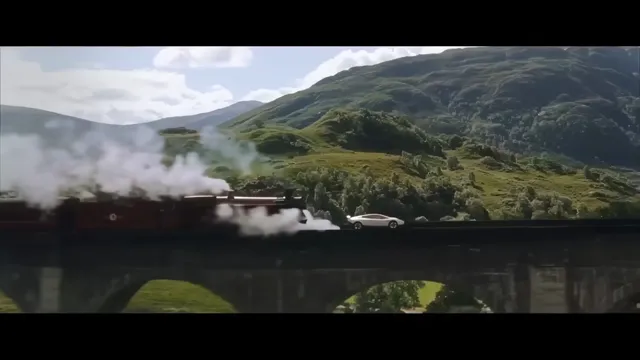
An old car flies next to a steam train in a film clip. We swapped it for the Tesla Roadster revealed on 15 October 2026, thruster jets included, while the camera, the timing and the sound stayed as filmed.

1. Reference views of the new car
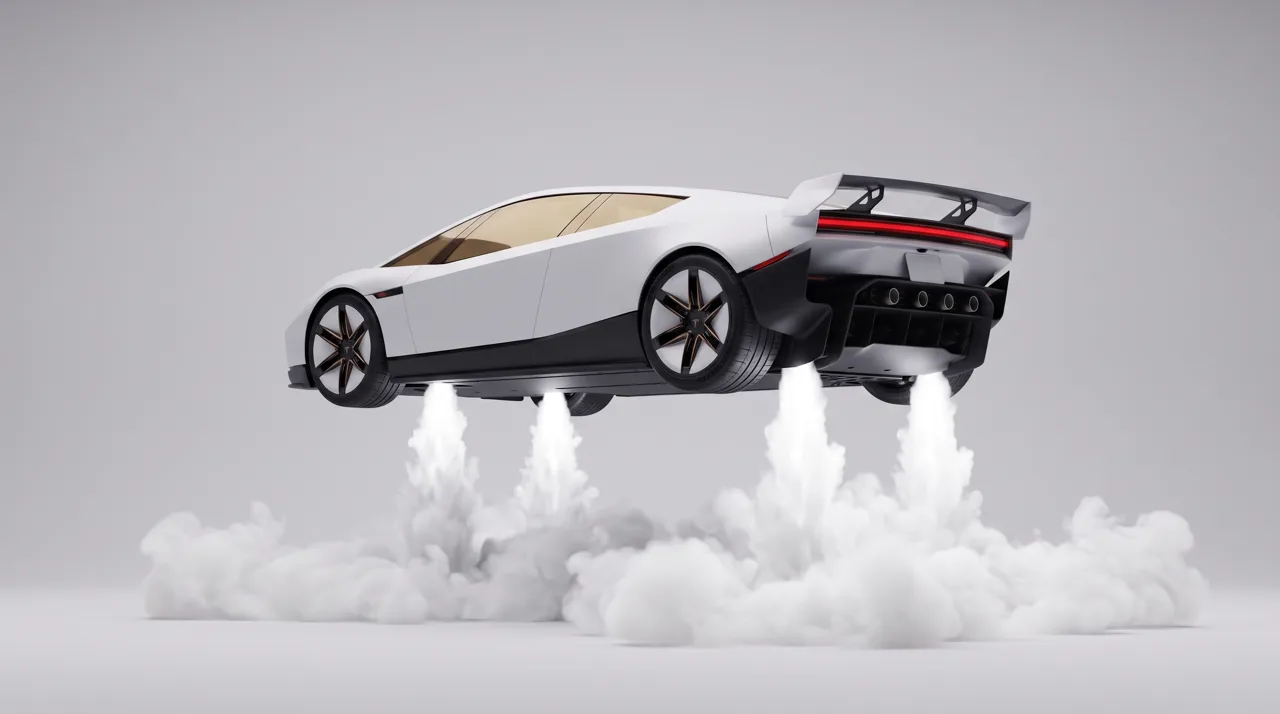
Image models do not know a car shown last week, and even web search only gives a generic concept. Pass the official reveal photos as references and ask Nano Banana 2.1 for a 2x2 sheet: side, front 3/4, rear 3/4 and a view from below. Then make one more image with the car's signature detail, here the thruster jets. Cut the sheet into four files and upload them.

2. Prepare the clip
3. One Miracle pass
- Analyse
miracle_analyzeon the uploaded clip (free). The analysis may split one car into two objects, for example by colour or angle. - Swap
Mode
swap, targetproducton every object id the car got, each with the same four photos. A vehicle swap changes the shape too, not only the paint. - Run on Seedance
One pass keeps the car identical in every shot: 10 credits per second, 720p. An 11-second clip cost 113 credits and rendered in about 12 minutes.
The old car becomes the white Tesla Roadster from the photos in every shot, same path, flips and moves. Whenever it is in the air, bright white gas plumes blast down from the round thruster nozzles under the car, as in the photo. Its glass is gold-tinted. Locomotive, carriages, viaduct and smoke unchanged.
4. Finish
- Upscale
Topaz upscale of the approved take (30 credits). Upscale first, then trim, so you never have to re-render.
- Grade in After Effects
Over the clip: the warm film LUT from Mira Elements at 80 %, Lumetri with gentle contrast (+6), exposure +0.1 and temperature +5, grain 22, vignette 20, and a warm Glow on the brightest parts only (threshold about 82 %, intensity 0.25) so the jets and the taillight bloom but the clouds keep their detail.
- Keep the letterbox black
Put two black solids over the bars on top of the stack, so the grain and the vignette do not grey them.